August for public libraries is a transitional month. The summer buzz winds down and the pace slows giving space to regroup, refocus, and get ready for the busy fall months. But even in this quieter stretch, the to-do list never seems to shrink, and for many, it often feels like there’s not enough time to do everything that needs to get done. There’s projects to plan, emails to send out, reports to write, news and information to keep up with, and still somehow find time to keep our mental and emotional well-being in check.
As a former school librarian, I know that feeling all too well, which is why I’m forever chasing little shortcuts and small efficiencies to make my work life easier, anything that shaves off a few minutes here and there and keeps the workflow rolling. Afterall, a little support goes a long way and the right tools can make all the difference.
That’s why this month I’m starting a three-part blog series highlighting some of my favorite tools. In part one, we’ll look at Ploud support, simple data reporting resources, quick book discovery tools, and even a self-care tip you can start using right away.
You’re Not Alone: Ploud Support at Your Fingertips
As your Digital Literacy Consultant here at the Texas State Library and Archives Commission, I want to remind you that support for your Ploud website platform is just an email or phone call away. For libraries using our Ploud website platform, whether you’re troubleshooting an issue, need guidance on a feature, or want to brainstorm ways to better showcase your library’s services online, I’m here to help.

Coming Soon: I’m also developing tutorial videos and user guides that will walk you through common tasks step-by-step and provide quick reference materials you can bookmark and return to whenever needed.
Simple Tools for Smarter Data Reporting
A very important aspect as a librarian is collecting and reporting data. This drives informed decision-making, helping plan programs, allocate resources, and demonstrate impact. As important as this is, it can feel equally intimidating, especially when time is short and reporting skills are limited. Many are unsure of how to report their data or which tools to use, but there are two simple, low-maintenance resources that anyone can use no matter their skill set.
I really like Datawrapper because you can simply copy and paste your information, or upload it from Excel or Google Sheets, and it automatically generates a map, chart, or table.

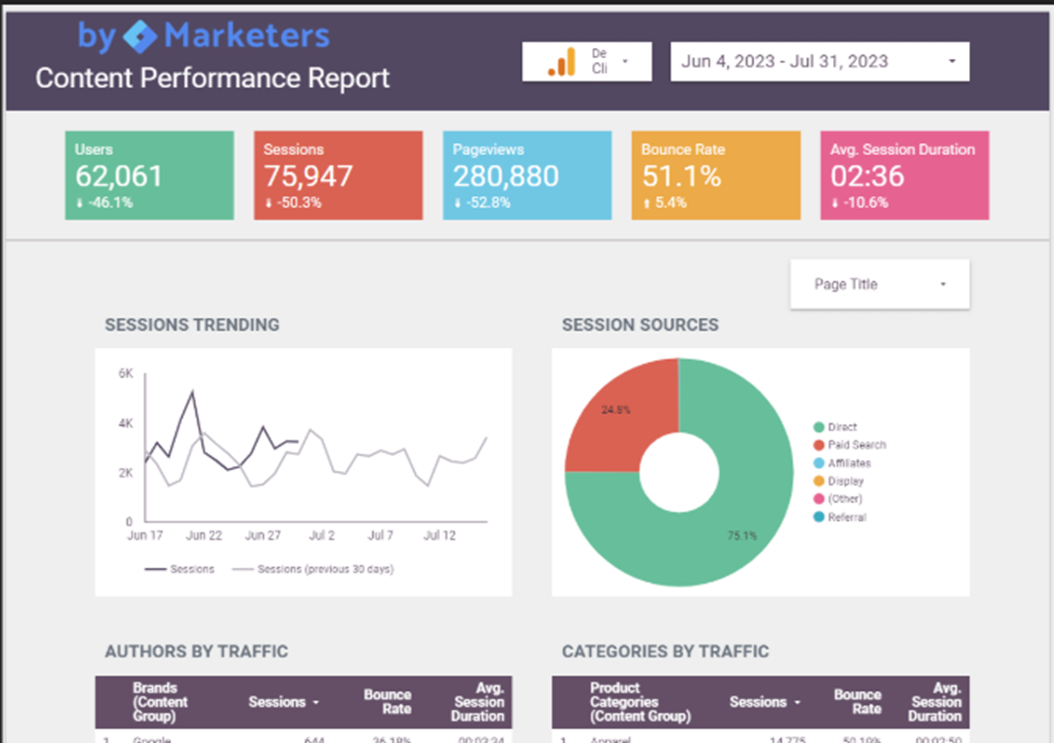
If you’re ready to get a little more technical and take your data reporting to the next level, Looker Studio may be for you. Formerly known as Google Data Studio, Looker Studio is used for creating interactive dashboards and reports in addition to maps, charts, and tables.
Fast Finds: The Best Books and Lists
Working on book orders was always fun for me because I loved finding out what new books were available and what hidden gems I had missed, and I often relied on curated and award lists from publishers and literacy organizations to select titles for my collection. But sometimes, I just wanted to build up a specific genre and I used other tools for that. These tools saved me time because they had done the work of pulling together the latest book ranking and genre-specific resources for me. The resources below help librarians quickly spot the best new releases, discover next-in-series titles, and explore curated genre lists without the extra digging.
| Tool | Focus |
| Amazon Charts | Weekly rankings of most-read and most-sold books. |
| Whichbook | Suggests books based on mood, theme, or character type. |
| Five Books | Expert recommendations across genres and topics. |
| Fantastic Fiction | Searchable database of fiction authors, series, and new releases. |
| CrimeReads | Reviews and essays on crime and thrillers. |
| Stop, You’re Killing Me! | Index of mystery, crime, and thriller authors and series. |
| All About Romance | Review site that focuses on romance literature with honest critiques and recommendations across romance subgenres. |
| Romance.io | Searchable platform specifically for romance readers. You can filter by tropes, heat level, and subgenres. |
| YA Books Central | Provides reviews, author spotlights, and YA reading recommendations. |
| Epic Reads | Young Adult Books and Books for Teens | HarperCollins’ YA-focused platform with book previews and author content. |
| Reading Rockets Themed Booklists | Educational resources that provide curated book lists organized by themes, age groups, and educational topics for parents and educators. |
| No Flying No Tights | Manga and graphic novel reviews |
| The Graphic Library | Review site for graphic novels and comics with a focus on resources for librarians and educators. |
| Manga in Libraries | Provides collection guidance, reviews, and strategies for engaging readers through manga. |
In conjunction with these book lists, I also want to recommend the following book rating resources:
- Rated Reads – Rates books for language, violence, and adult content.
- Book Cave – Provides book suggestions along with content ratings for age- and interest-appropriate selections.
- Common Sense Media Book Reviews – Offers book reviews with age ratings and content notes.
Library Tech Shortcuts
The following tech tools can speed up routine tasks and make library workflows more efficient. I used both of these when I was a school librarian, and it made my workday more convenient to not have to deal with wires. Sometimes, it’s the little things that make the whole day run smoother.
- The wearable wireless finger mini barcode reader scanner is a portable scanner that makes circulation and inventory tasks faster. It’s effective and fun to use!

- The wireless HDMI transmitter and receiver made my life a bit easier at the moment by eliminating the need to drag out the 20 foot HDMI cable every time I needed the projector since the computer was set up a bit far from the connection. With this device, I could set up the projector wherever I needed it, turned it on, and was ready to go. No cables to wrestle with and no safety hazards to worry about.

Balancing the Busy
Even with the best tools at your fingertips, the fast pace of work can take its toll. That’s why including moments of intentional rest is just as crucial as streamlining your tasks—especially when the to-do list never seems to lighten.
Here’s a simple browser add-on that does just that:
Take a Break is a Chrome and Edge extension that sends you reminder notifications to take a break via pop-up or desktop notification. You can customize the working hours, working days, break duration, and break intervals (30 minutes, 1 hour, 3 hours, etc.). Balance the busy by giving yourself those much-needed mini-breaks—your brain and body will thank you.

I hope at least one of these tools makes your day-to-day work a little smoother. Whether you try just one or a handful, the right resources can free up time for what matters most—connecting with your community and taking care of yourself along the way. Stay tuned for Part 2, where I’ll share more tools and shortcuts to keep your work running smoothly.
Questions? Let’s connect!